
GIDS Smart Card
A read/write PKI smart card with a driver built into Windows — no installation required.
Download the applet
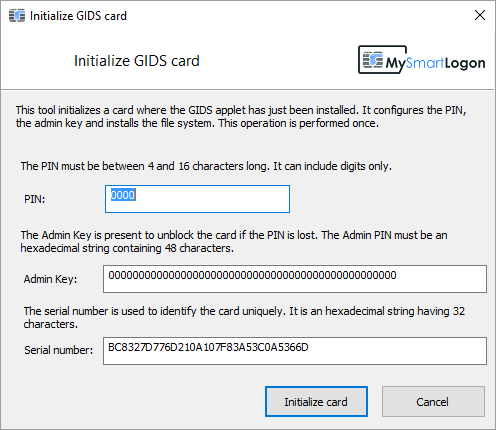
Free open-source JavaCard applet. After flashing, initialize with OpenSC (gids-tool -X) or our initialization tool.
Open source on GitHub
The GIDS applet and OpenSC integration are freely available and maintained on GitHub.
View on GitHub
Overview
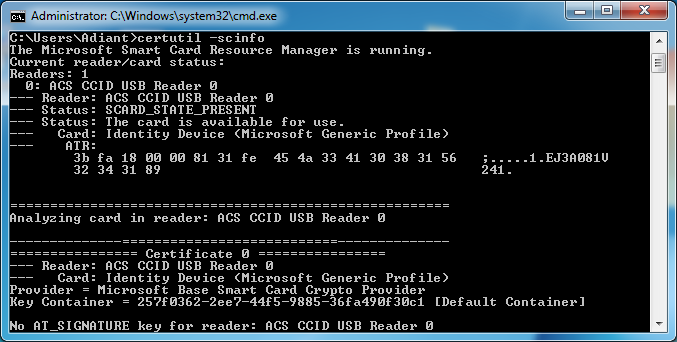
The Generic Identity Device Specification (GIDS) is the only PKI smart card standard with a driver built into every Windows installation since Windows 7 SP1 — and it supports both read and write operations with no additional driver installation.
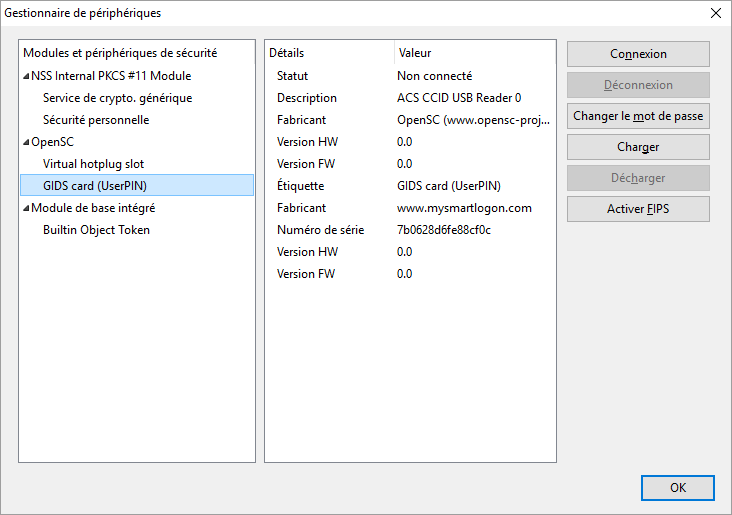
My Smart Logon provides a free JavaCard applet to transform any compatible low-cost JavaCard into a GIDS smart card, along with OpenSC integration for Linux and macOS.
Features
| Feature | Details |
|---|---|
| Windows driver | None required — built-in since Windows 7 SP1 |
| PKCS#11 | OpenSC |
| Cryptography | RSA 1024 and RSA 2048 |
| Authentication | PIN and administrator authentication; Windows integrated unblock compatible |
| Pinpad support | OpenSC only |
| Cross-platform | Windows (minidriver), Linux & macOS (OpenSC/PKCS#11) |
Requirements
- JavaCard 2.2.1 or above — see the list of tested cards
- Implementation of
requestObjectDeletion()is recommended for proper file deletion - Windows 7 SP1 / Server 2008 R2 or later for the minidriver; OpenSC for PKCS#11
FAQ & Known issues
Known issue: Microsoft and OpenSC load the PIV applet before the GIDS applet. If both are installed on the same card, GIDS data will not be readable. Additionally, Windows caches the applet type (PIV vs GIDS) by ATR in the registry under the
Calais key — delete that entry or change the ATR to resolve conflicts. On x64 systems, this entry exists in both the normal and Wow64 registry nodes.