Connector · OpenPGP card
OpenPGP Card CSP & Minidriver
Sign in to Windows and to your domain with the OpenPGP card you already use for GnuPG — or turn a JavaCard into one with SmartPGP.
Free and open source · two drivers, one card
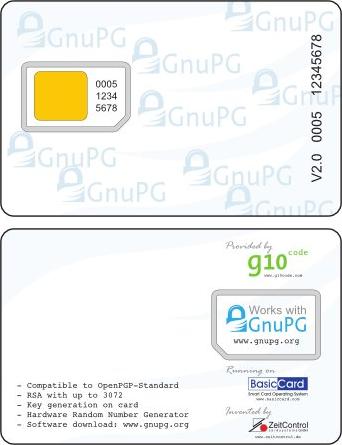
The OpenPGP card is the smart card of GnuPG: signature, encryption and authentication keys, protected by a PIN. Windows has no driver for it, so out of the box it cannot be used to sign in, for TLS client authentication or for S/MIME.
Two free drivers fill the gap. Pick one per computer, depending on who manages the card:
- The minidriver plugs the card into the Windows smart card framework, read-only. Keys and certificates are made with GnuPG; Windows uses them. Nothing on the card can be changed by mistake from Windows.
- The CSP and its KSP let Windows write to the card: the key is generated on the card and the certificate requested from your Active Directory CA with
certmgr.msc, like any smart card.
No OpenPGP card at hand? The free SmartPGP applet turns a JavaCard into one. Everything on this page was recorded with SmartPGP on a JavaCard, on Windows 11 joined to an Active Directory domain.
With Gpg4win and the domain CA:
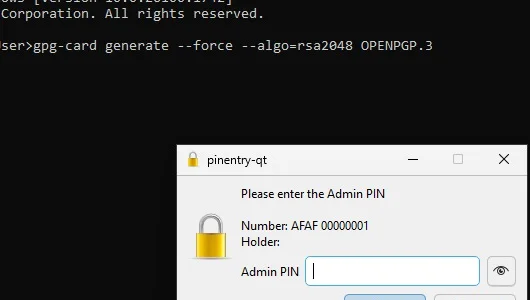
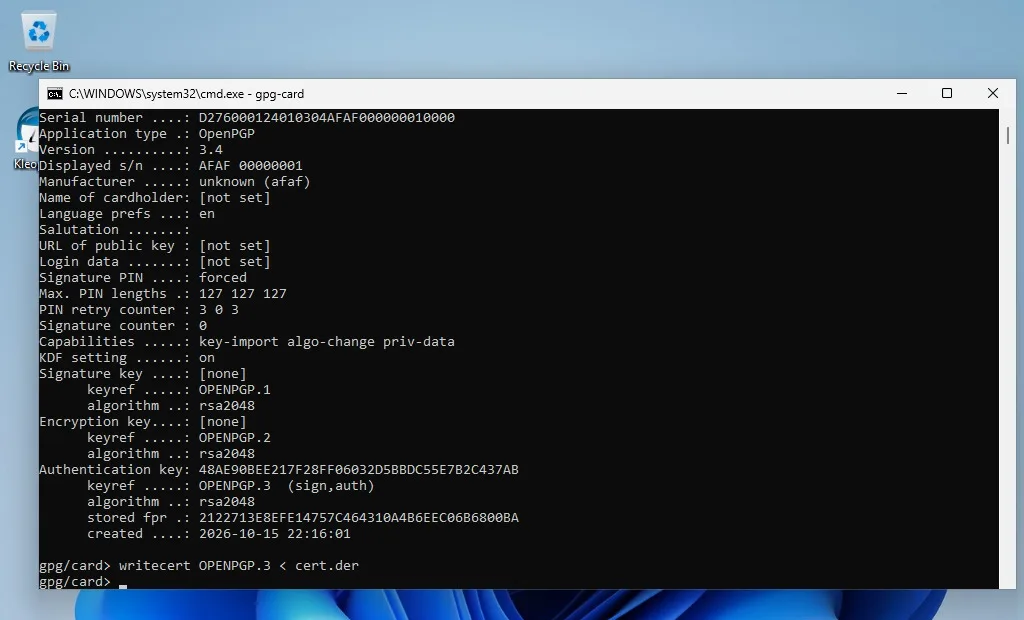
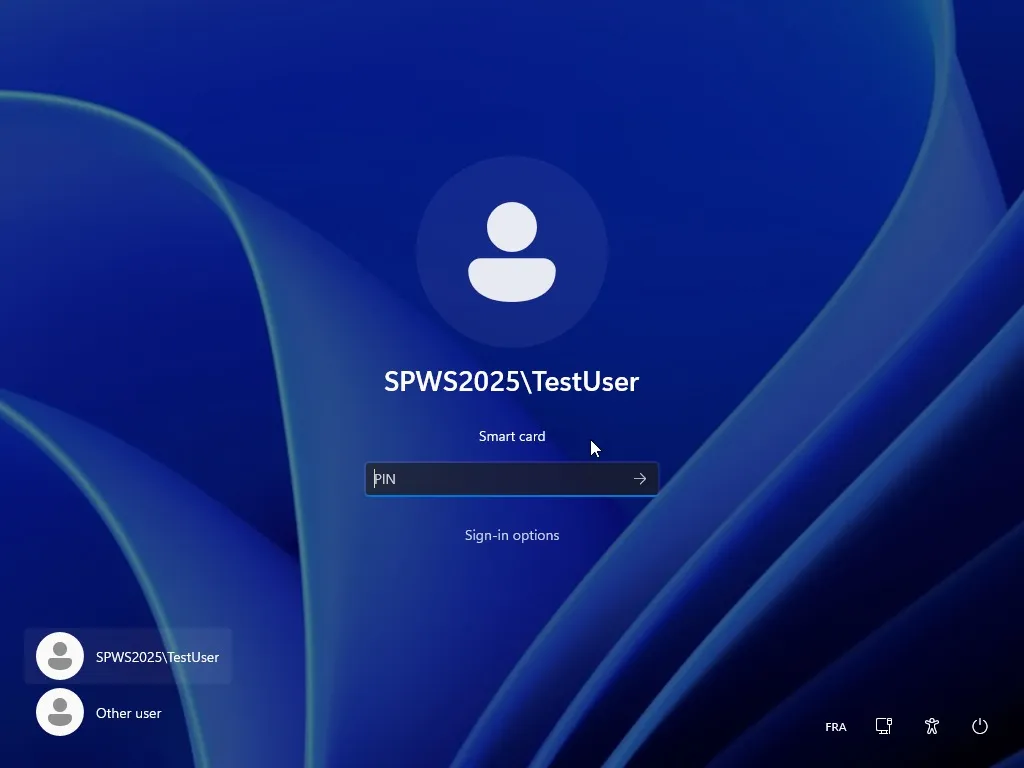
gpg-card generate: an RSA 2048 authentication key, on the cardgpgsm --gen-key: a certificate request signed by the cardcertreq: the domain CA issues a Smartcard Logon certificategpg-card writecert: the certificate goes on the card- Lock the session and sign in to the domain with the card
The same card keeps working with GnuPG for e-mail and SSH. Step by step.
The user enrolls the card alone, with the Windows tools:
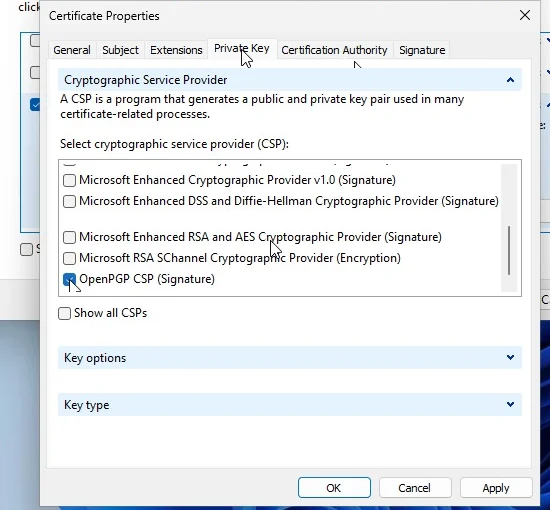
certmgr.msc› Request New Certificate- A Smartcard Logon template with a signature key
- Private key: the OpenPGP CSP provider
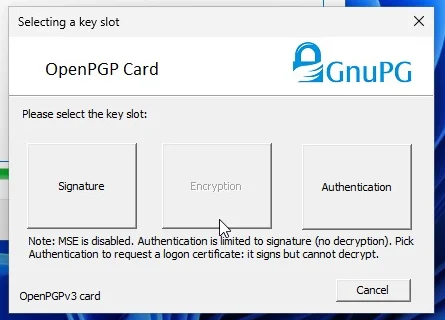
- Choose the key slot: Authentication
- Admin PIN to generate the key, PIN to sign the request
- Sign in to the domain with the card
The CSP also comes with OpenPGP Smart Card Manager, to import a PFX or change the PINs. Step by step.
| Minidriver | CSP and KSP | |
|---|---|---|
| Access to the card from Windows | Read-only | Read and write |
| Who creates the key and writes the certificate | GnuPG (gpg-card, gpgsm, Kleopatra) | Windows: certmgr.msc, certreq, auto-enrollment |
| Enrollment from an AD CS CA | Request made with gpgsm, submitted with certreq | Built in, from the enrollment wizard |
| Windows provider | Microsoft Base Smart Card Crypto Provider and Smart Card KSP | OpenPGP CSP and OpenPGP KSP (Windows 11 uses the KSP first) |
| Key used by Windows | The authentication key (signature container) | The slot chosen when the key is generated |
| Domain smart card logon | Yes, with the allow signature keys policy | Yes, with a signature-key template |
| TLS client authentication, S/MIME signing | Yes | Yes |
| Decryption (S/MIME, EFS) on SmartPGP | No | No — only on cards with MSE |
| PFX import, PIN change | No (GnuPG does it) | Yes, OpenPGP Smart Card Manager |
| Installation | Driver package, then the card ATR in the registry | MSI, then the card ATR in the registry |
| Best for | GnuPG users who also want Windows logon; cards managed outside Windows | Companies enrolling cards from their own PKI |
Install one of the two for a given card: both register for the same ATR.
Card
- OpenPGP card v2 or v3, or the SmartPGP applet on a JavaCard 3.0.1 or later
- RSA 2048 keys
- Room for the certificate: Active Directory certificates are 1.5 to 2 KB, more than the 1 KB of the standard SmartPGP build — see the how-to guide
- Decryption with the logon key needs MSE (key swap) on the card; SmartPGP does not implement it
Computer and domain
- Windows 10 or 11, x64 (x86 build available)
- The ATR of the card registered for the driver (pre-configured for genuine OpenPGP cards)
- Minidriver: the Allow signature keys valid for logon policy
- CSP: a Smartcard Logon template whose key is a signature key
- Domain logon: the usual smart card logon prerequisites — domain controller certificate, CA in NTAuth